Connectivity
Tips for Business to Choose Ethernet Cables: Cat5e, Cat6, Cat6a/ Cat 7 & Cat 8
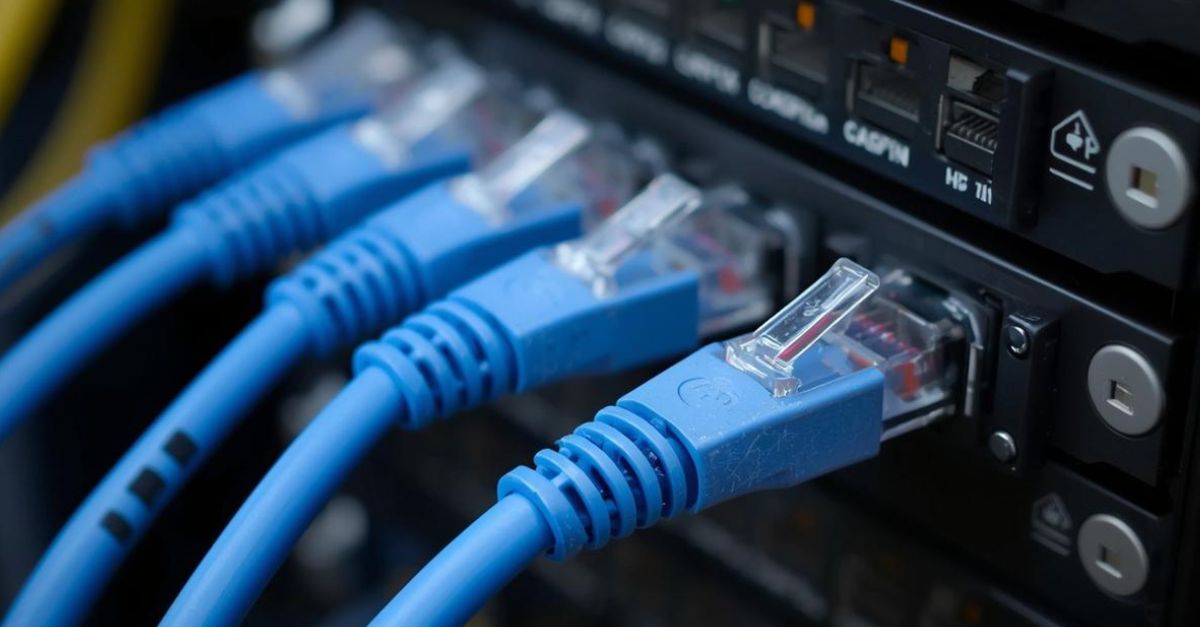
1. What is a LAN Cable? Why is it Critical for Your Business?
A LAN cable (known as an Ethernet Cable) is the bridge connecting devices like laptops, switches, routers, and servers to your network. It is the silent pipeline that carries your business's critical data.
Why Can't Businesses Just Use Any Cable?
- Network Stability: Many instances of slow enterprise networks are not due to insufficient broadband speed. The culprit is often outdated or low-quality cabling creating a bandwidth bottleneck.
- Interference is Everywhere: Modern offices are saturated with signals from Wi-Fi, Bluetooth, and power lines. The wrong type of ethernet cable can fall victim to electromagnetic interference (EMI), leading to data packet loss.
- Future-Proofing Your Investment: Cutting costs on cabling today by choosing older standards like Cat5e for new installations can lead to far greater expenses later, requiring you to tear down walls to re-cable for future network upgrades.
2. Different Types of Ethernet Cables
-
Cat5e: While Cat5e is an older standard supporting 1 Gbps, it is still found in many legacy setups. However, for new enterprise installations, its limited bandwidth and weaker resistance to interference make it less ideal compared to modern alternatives.
-
Cat6: Currently, the mainstream lan cable standard for SMEs and new office fits. It supports 1 Gbps, offering a better price-to-performance ratio than Cat5e.
-
Cat6a: An augmented version of Cat6. Its lower installation cost compared to higher categories makes it an excellent choice for businesses upgrading to a 10G network.
-
Cat7: Designed for high-speed transmission, Cat7 cables feature individual shielding for each wire pair. This makes them significantly more robust against noise than a standard ethernet cable.
-
Cat8: As one of the highest-tier specifications available. It is primarily used to meet the demanding connectivity needs within data centers.
3. Comparison: Cat5e, Cat6, Cat6a /Cat7 & Cat8
|
Specification |
Cat5e |
Cat6 |
Cat6a / Cat7 |
Cat8 |
|
Max. Speed |
1 Gbps |
1 Gbps (10 Gbps up to 55m) |
10 Gbps (Cat7 can reach 40 Gbps) |
25 Gbps / 40 Gbps (within 30m) |
|
Bandwidth |
100 MHz |
250 MHz |
500 MHz (Cat6a) / 600 MHz (Cat7) |
2000 MHz |
|
Shielding |
UTP (Unshielded) |
Often UTP; flexible and easy to install. |
Typically S/FTP (Shielded); strong interference resistance. |
S/FTP (Heavily Shielded); maximum noise protection. |
|
Use Cases |
- Home networking |
- Office workstations |
- Wi-Fi 7 APs |
- Data center switching |
|
Recommendation |
Maintenance only. Not recommended for new enterprise deployments. |
SMEs & General Office. The standard choice for cost-effective 1 Gbps connectivity. |
High Performance. Ideal for design firms and data backup centers. |
Data Center. For ultimate performance in internal, high-speed connections. |
4 Tips for Business to Choose Ethernet Cables
Selecting the right lan cable is a strategic decision that impacts both your immediate budget and long-term network stability. Here are four key principles to guide your procurement strategy.
-
Tip 1: Match Specs to Needs
- Don’t overspend on a "one-size-fits-all" solution. Use cost-effective Cat6 for general workstations, but upgrade to Cat6a or Cat7 for critical infrastructure like servers and high-speed Wi-Fi access points to prevent bottlenecks.
-
Tip 2: Skip Legacy Standards
-
Avoid Cat5e for new installations. While cheaper, it is obsolete for modern enterprise needs. Establish Cat6 as your minimum baseline to ensure your ethernet cable infrastructure can handle today’s video conferencing and cloud applications.
-
-
Tip 3: Check for Interference
-
Your environment matters. Use standard Unshielded (UTP) cables for typical quiet offices. For noisy areas near heavy machinery or crowded server racks, choose Shielded (STP) cables to protect data integrity from electrical interference.
-
-
Tip 4: Future-Proof Your Backbone
-
The cost of labour often exceeds the cost of the cable itself. Since re-cabling causes major disruption, it pays to install higher-grade cabling (Cat6a+) for your network backbone now. This avoids the expensive need to rip and replace your lan cable infrastructure when upgrading network speeds later.
-
5. Maximising Network Potential with HKT
Choosing the right Ethernet cable is just the beginning. To truly maximise network performance, businesses need expert architectural planning and ongoing management.
-
Holistic Infrastructure Design
-
Beyond just supplying cables, HKT offer end-to-end planning. Our engineers assess your office layout to design a tailored mix of cabling such as upgrading legacy Cat5e to Cat6 or Cat7, ensuring your physical layer is built for stability and budget efficiency.
-
-
Connectivity & Intelligence (Broadband + SD-WAN)
-
A high-quality lan cable needs a strong connection to back it up. We provide business broadband speeds up to 50G, paired with intelligent SD-WAN solutions. This combination optimises traffic routing, ensuring critical apps like Microsoft 365 run smoothly, even on complex networks
-
-
Proactive Managed Services
-
Free your inhouse IT team from the burden of daily maintenance. Our managed services proactively monitor network health, swiftly resolving issues, from aging lines to configuration errors, so you can focus on driving your business forward.
-