AI & Robotics
AI Image Generator Free: 5 Best Tips for Hong Kong Business 2026
Heading into 2026, AI image generators such as Midjourney, Adobe Firefly, Nano Banana and GPT Image have become everyday tools for businesses. Even employees without design backgrounds can now produce commercial-grade AI photos in minutes.In practice, however, the most common challenge for Hong Kong businesses is not "which AI image generator is best?", but rather "why does my AI photo look so fake?"
The following five tips, along with the key compliance risks, will help your team get the most out of AI image generation efficiently.
5 Tips to Master the Best Image Generating AI for Business (AI Image Prompts)
Tip 1: Make AI Generated Images Look Real with the Right Prompt
Skin is where AI images most often look fake. A generic prompt like "a professional businessman in office" usually gives you a figure that looks too smooth, like it has a heavy filter on. Whether it is an ad model or a staff portrait for a company deck, skin realism is what makes or breaks the image.
Try adding these keywords to your prompt:
- "natural skin texture, visible skin pores, subtle skin imperfections" — keeps the pores visible.
- "shot on Canon EOS R5, 85mm f/1.4 lens" — adds the depth of field and colour of a real camera.
- "soft natural lighting, slight film grain" — a bit of grain helps the image feel like a real photo.
- "candid photo, unposed" — useful for "About Us" pages and team shots, where stiff posing tends to look false.
At the same time, avoid words that push the image towards a plastic look: "flawless skin", "perfect", "stunning" and "8K hyperdetailed" often give you something more like a shop mannequin than a real person.
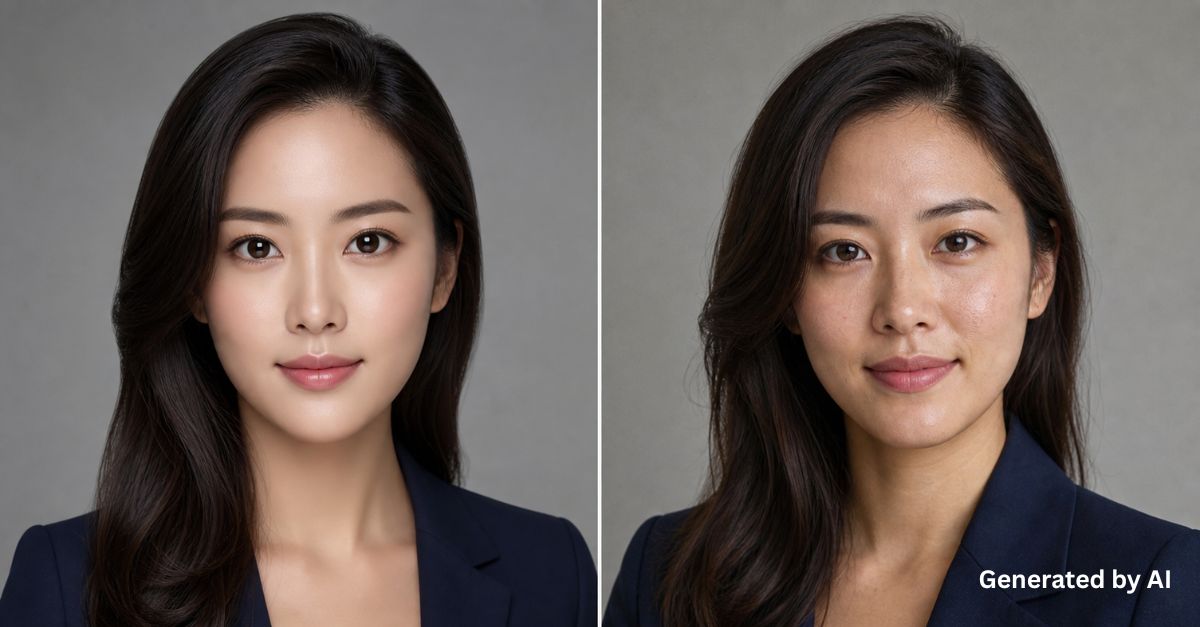
Tip 2: Use Local Looks — Skip the Generic "Pan-Asian" Faces
Hong Kong audiences can spot a non-local face right away. A generic "pan-Asian" model is easy to recognise as not local. Same for the background, a foreign streetscape will pull viewers out of the picture straight away.
Be specific about the people:
- Try "Hong Kong Chinese woman in her late 20s, modern casual style" rather than the vague "Asian woman".
- Place characters in roles your audience will recognise: "office lady in Central", "entrepreneur in coworking space", "engineer in Cyberport", "banker in IFC".
Localise the scene:
- Streets: "Hong Kong street with neon signs", "Mongkok night scene", "Central skyscrapers"
- Interiors: "Hong Kong apartment interior, small space, modern"
- Offices: "Hong Kong Grade A office with Victoria Harbour view"
- Transport: "MTR station platform", "Hong Kong tram", "Star Ferry"
- Avoid vague terms like "Asian street" (which often gives you Thai or Vietnamese imagery) or "modern Asian city" (which usually outputs something more like Tokyo or Singapore).
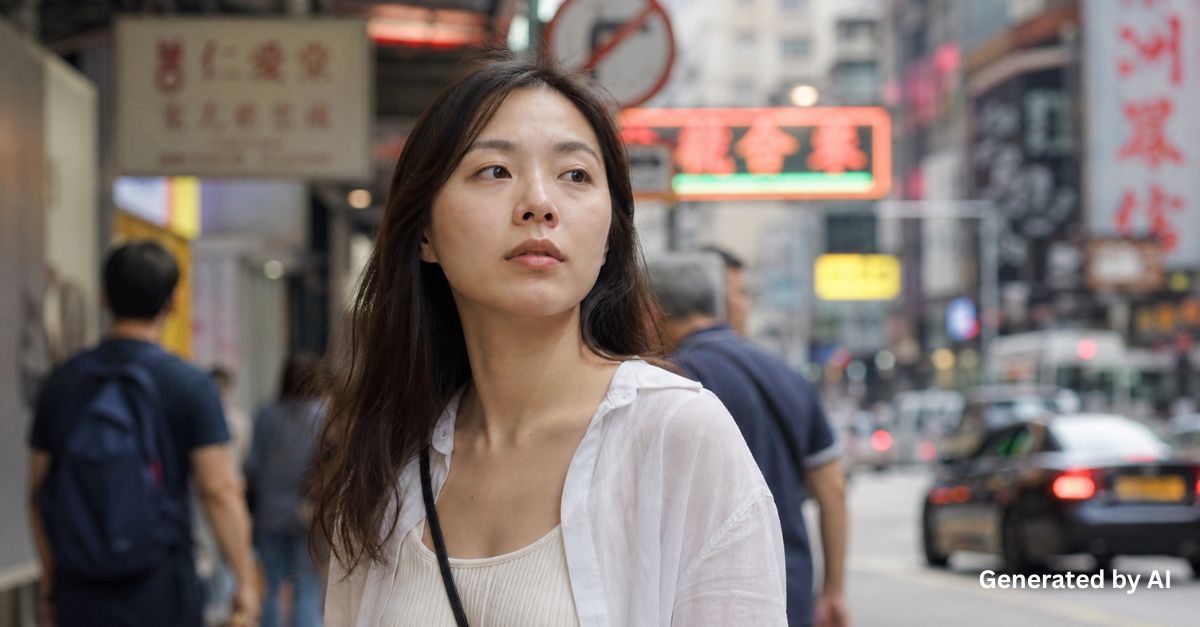
Tip 3: For Professional Industries, Use Specific Scenes Instead of Mood Words
Mood-based prompts work well for retail and consumer goods. But for technology, finance or professional services, mood alone often makes the image look unprofessional and not real. A prompt like "a doctor in hospital" usually gives you a stock-photo style image with a fake-looking clinical setting.
A few principles that help:
- Be specific about the equipment and environment. "Ophthalmologist examining patient with slit lamp microscope" is far more useful than "doctor checking eye"; "engineer inspecting server rack in data center" beats "IT person at work" every time.
- Add industry signals. Finance: "Bloomberg Terminal", "multiple trading screens". Tech: "whiteboard with system architecture diagram", "standing desk with dual monitors". Construction: "BIM model on tablet", "site safety helmet".
- Be clear about the clothing. Lawyers: "navy suit with tie, no lanyard". Medical staff: "scrubs with stethoscope, hospital ID badge". Engineers: "high-visibility vest, safety glasses".
A few things to watch out for:
- Just saying "office" will usually give you a generic open-plan layout with no industry feel.
- Server rooms, labs and factory floors are areas where AI accuracy drops. Image-to-Image mode with a real reference photo will give you a much better result.
- For regulated industries like healthcare, finance and law, do not let AI generate documents, instrument readings or drug labels on its own. The output can look real enough to mislead, which is risky.
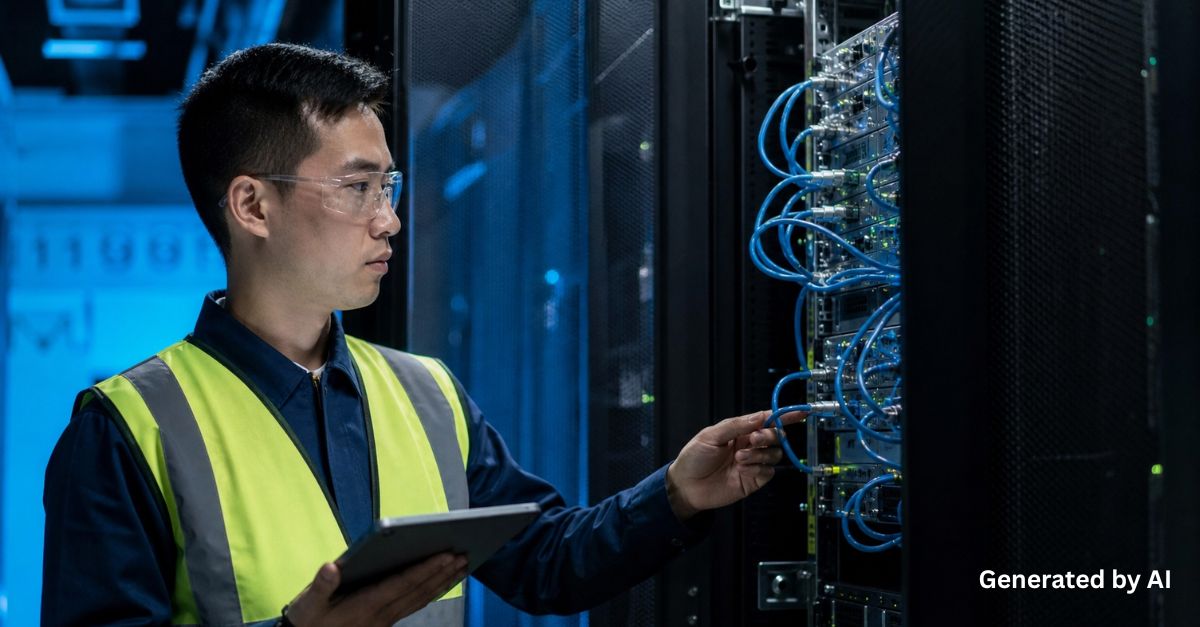
Tip 4: Build All Ad Sizes From One Hero Image to Keep Things Consistent
When you run a campaign, you need visuals in many sizes such as Facebook feed (1:1), Instagram Story (9:16), Google Display (300×250, 336×280), LinkedIn (1.91:1), and more. Generating each size from scratch takes time. Worse, you often end up with small differences in the model's face, product details or background, which affects brand consistency.
The better way:
- Choose the hero image first, then extend it. Generate one high-resolution master image, get the model, product and tone approved, then use it to create all the other sizes.
- Use Outpainting or Generative Expand to extend the canvas. Adobe Firefly, Photoshop, Midjourney and Canvas all support this. The AI fills in the top, bottom or sides automatically. A short prompt like "continue the same office background, same lighting" helps stop the AI from adding random elements.
- Use Image-to-Image to swap product backgrounds. Keep the original shot and just change the setting, season or mood. The product itself stays exactly the same.
- Add text and logos in post-production. AI-generated text often has typos or strange characters. Add brand logos, copy and CTAs afterwards using Photoshop, Figma or Canva, so everything follows brand guidelines.
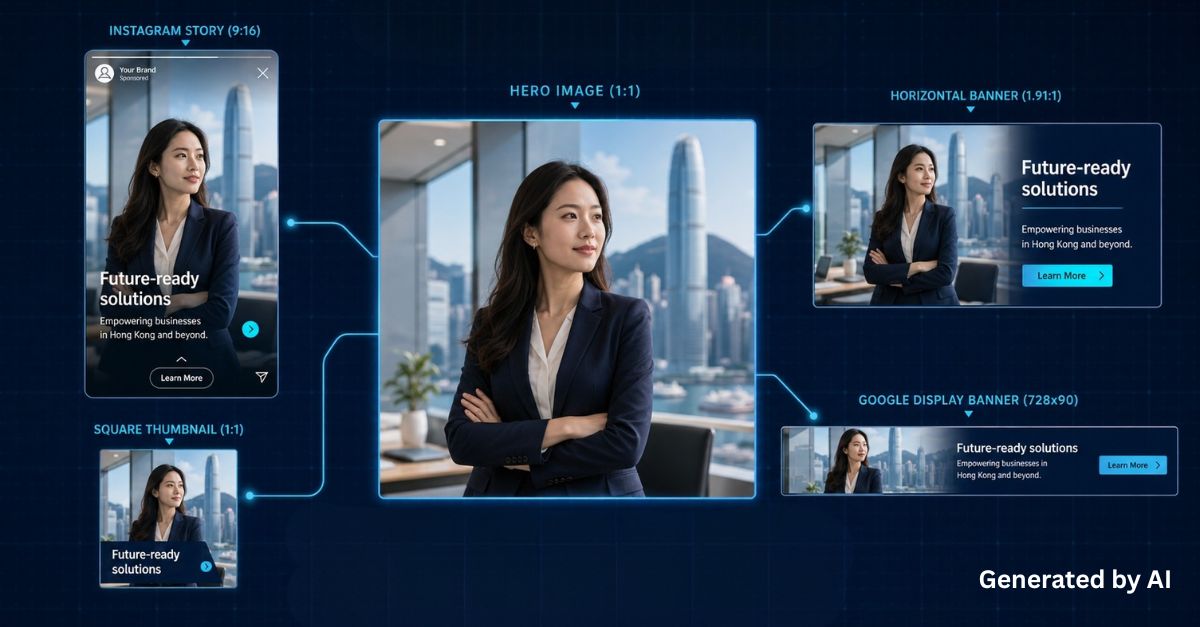
Tip 5: When Generating Product Backgrounds, Lighting Is Important
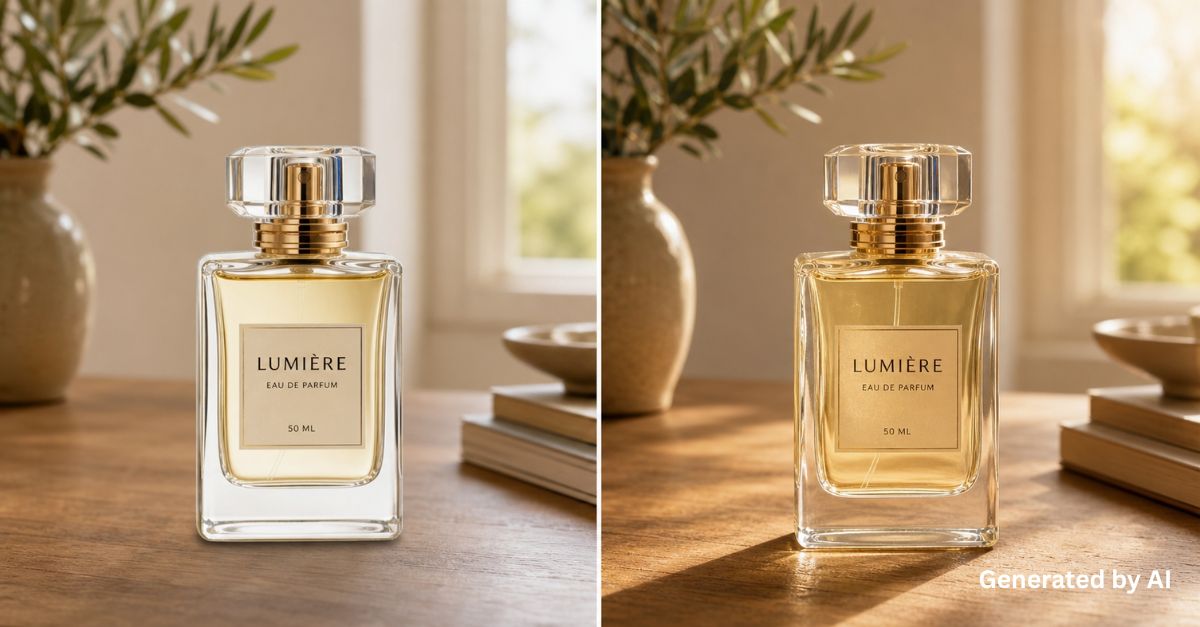
Swapping product backgrounds is one of the most popular AI use cases in retail, taking one product shot and placing it in many different scenes. But once the background changes, the product often looks "pasted on". Most of the time, the problem is that the lighting and mood do not match.
Use Image-to-Image, not Text-to-Image
Upload your high-res product photo and use Image-to-Image or Inpainting to change the background. This keeps every detail of the product including the logo, embossed text and surface patterns, exactly as it is. Useful tools include Canva, Claid.ai, Adobe Firefly Scene, Photoshop Generative Fill and Nano Banana.
Three things your prompt should cover: scene, lighting, mood
Don't just write "office background". A better structure is "scene + lighting + style keywords". Some templates for reference:
- Office: "modern Hong Kong office background, soft natural window light, warm wooden desk, shallow depth of field, photorealistic"
- Outdoor lifestyle: "outdoor cafe table, warm morning sunlight, golden tone, slight bokeh background, lifestyle photography"
- Festive: "festive Lunar New Year setting, red and gold decorations in soft focus, warm ambient light, cozy atmosphere"
- B2B / tech: "clean minimalist studio background, light grey gradient, soft studio lighting, commercial product photography style"
Finish with manual retouching
After the image is ready, use Photoshop or other image editor to adjust the shadow density and colour temperature, so the product blends naturally into the new scene. Also check for white edges (haloing) around the product, and make sure the overall lighting looks consistent.
4 Risks & Compliance: What Hong Kong Businesses Should Know Before Using AI Image Generators
1. Unclear Copyright Ownership:
Hong Kong's Copyright Ordinance follows the US position. Pure AI-generated content, without enough human input, is unlikely to get copyright protection. That means competitors can freely use the same image. For key visual materials, it is still better to have a human designer finish the original work.
2. Training Data Risks:
Some AI tools are trained on datasets of unclear origin, which may include unlicensed images. Using such output in a commercial campaign could expose your business to liability. Choose tools with commercial licensing and IP protection, like Adobe Firefly or the enterprise edition of Nano Banana.
3. Image Rights and the Personal Data (Privacy) Ordinance:
Do not use the likeness of any real person — staff, customer or public figure — for AI editing or generation without written consent. The Crimes (Amendment) Ordinance, in force since 2024, also makes non-consensual intimate fake images a criminal offence. Any AI-generated portrait needs extra care.
4. Brand Reputation:
Hong Kong consumers are increasingly alert to authenticity in advertising. Too much AI can quickly trigger negative feedback. Before a big campaign goes live, run small-scale testing and decide carefully how visible the AI involvement should be.
HKT Helps Hong Kong Businesses Use AI Image Generators Safely
While AI image generation can boost efficiency, it also introduces risks around copyright, privacy, compliance, and cybersecurity. How can your business unlock the value of AI tools while keeping data secure and operations compliant?
HKT offers a comprehensive suite of solutions to help Hong Kong businesses effectively leverage AI in their daily work. Our solutions are built to operate in a fully compliant, secure, and reliable environment, including options for private AI deployment tailored to your organisation’s needs. Contact us to learn more.
Want to see how more AI technologies are reshaping Hong Kong enterprises?
HKT Enterprise Solutions Tech Week 2026 is taking place in July 2026, featuring the latest AI use cases, sessions from industry experts, and on-site consultation at our booths. Stay tuned!